Built-in Callback
The built-in callback command is:
It resolves to the built-in app instance at agent_hooks.cli_app.app:app.
This is the "just make it work" path: one local callback target that turns Claude Code and Codex hook payloads into native macOS dialogs and notifications.
One dialog layer
The Allow / Always Allow / Deny choice shows up as a local macOS dialog instead of being trapped inside whichever AI session is waiting.
Less desktop switching
You can respond immediately from the current desktop instead of sweeping across full-screen terminal or editor spaces to find the blocked session.
Local-first setup
The built-in flow uses the system osascript binary. No extra Python packages. No extra macOS dependencies.
What It Looks Like
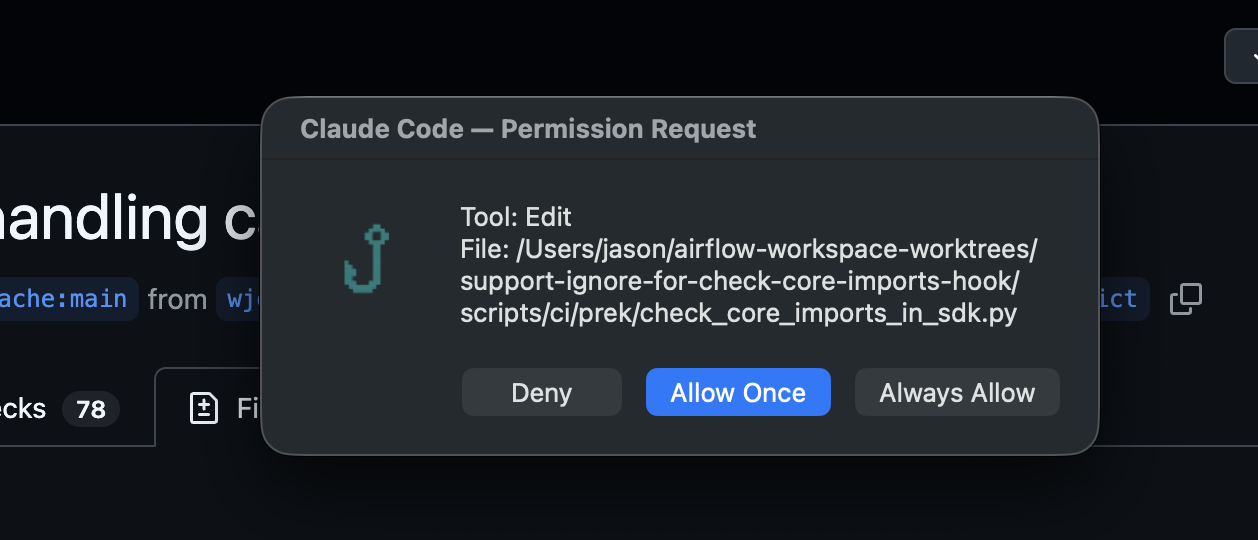
Claude Code permission requests become a native local dialog with Deny, Allow Once, and session-scoped Always Allow.
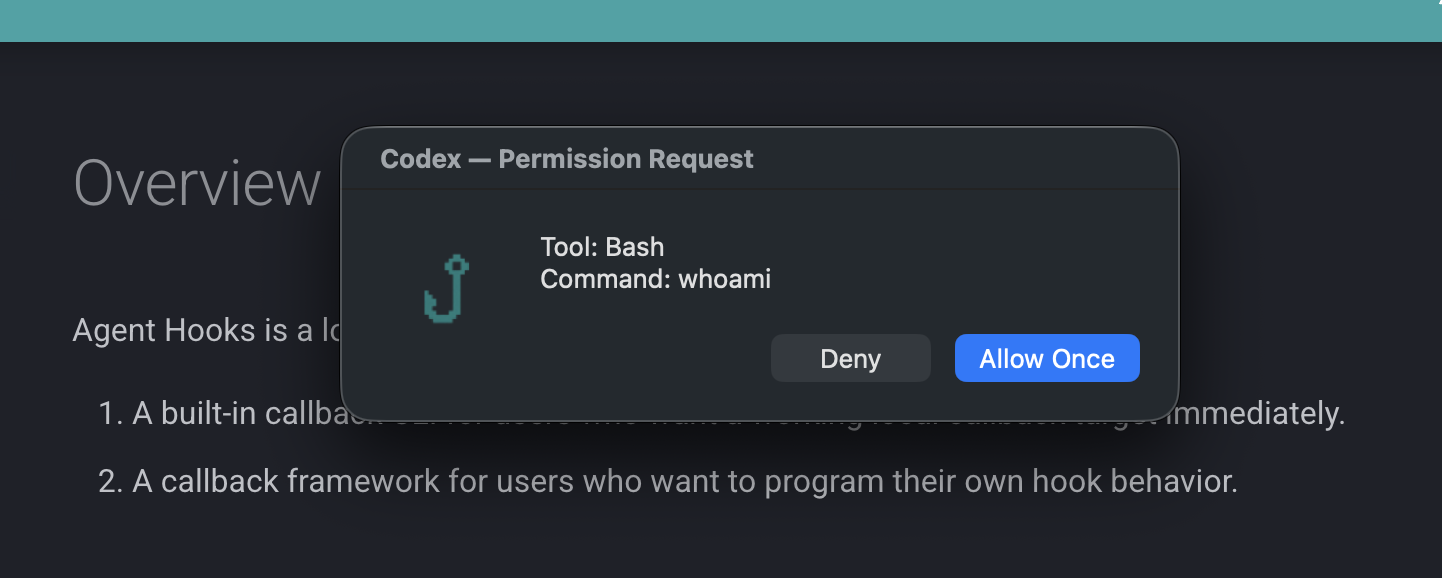
Codex PreToolUse requests become the same local dialog flow, with Deny, Allow Once, and optional execpolicy short-circuiting for already-allowed Bash commands.
Quick Setup
Install the CLI:
Put this in ~/.claude/settings.json:
{
  "hooks": {
    "PermissionRequest": [
      {
        "hooks": [
          {
            "type": "command",
            "command": "agent-hooks callback --provider claude-code"
          }
        ]
      }
    ],
    "Notification": [
      {
        "matcher": "permission_prompt",
        "hooks": [
          {
            "type": "command",
            "command": "agent-hooks callback --provider claude-code"
          }
        ]
      }
    ],
    "Stop": [
      {
        "hooks": [
          {
            "type": "command",
            "command": "agent-hooks callback --provider claude-code"
          }
        ]
      }
    ],
    "StopFailure": [
      {
        "hooks": [
          {
            "type": "command",
            "command": "agent-hooks callback --provider claude-code"
          }
        ]
      }
    ]
  }
}
Install the CLI:
If your Codex build still requires the feature flag, add this to ~/.codex/config.toml:
Put this in ~/.codex/hooks.json:
Provider Selection
The built-in callback can determine its provider in three ways:
- an explicit
--providerCLI argument AGENT_HOOK_PROVIDER- provider inference from the incoming payload when the payload has unique markers
Best practice
Use --provider when the caller is fixed. Inference is helpful for mixed payload testing, but explicit provider selection removes ambiguity in production-like setups.
If you know which provider is calling the hook, using --provider keeps the setup explicit.
Why People Start Here
- You want one callback command that both Claude Code and Codex can call.
- You want permission prompts to surface locally on macOS instead of inside the provider UI.
- You want the fastest path to a usable hook workflow before writing a custom app.
Built-in Event Behavior
Claude Code
The built-in app handles:
NotificationPermissionRequestStopStopFailure
Those events are rendered into local notifications or dialogs when appropriate.
Codex
The built-in app registers:
SessionStartPreToolUsePostToolUseUserPromptSubmitStop
Current built-in behavior is intentionally narrow:
PreToolUsegets permission dialogsStopgets notificationsSessionStart,PostToolUse, andUserPromptSubmitreturn empty responses
Important
Empty responses are expected for several Codex events. The built-in app is meant to cover the core interactive path, not to attach custom side effects to every event out of the box.
Codex execpolicy Shortcut
For Codex PreToolUse requests where tool_name == "Bash", Agent Hooks can skip the dialog if local Codex policy has already allowed the command.
The middleware runs:
If the top-level JSON decision is allow, the built-in callback returns an empty response immediately.
Current environment knobs:
AGENT_HOOK_CODEX_EXECPOLICY_MODELAGENT_HOOK_CODEX_EXECPOLICY_RULES
Why this shortcut exists
Already-allowed Bash commands should not interrupt local flow again. The execpolicy check lets the built-in callback avoid redundant permission dialogs for commands Codex already considers allowed.
macOS Behavior
The built-in callback uses osascript for dialogs and notifications.
- On macOS, it opens real local UI
- On non-macOS platforms, AppleScript actions are skipped
- If
AGENT_HOOK_DISABLE_OSASCRIPT=1, AppleScript actions are skipped even on macOS
Useful during debugging
Disable AppleScript when you want to confirm payload parsing, provider detection, and response formatting without creating modal dialogs during repeated tests.
Logging
Every callback run writes:
- an application log entry
- a raw input audit record
- a rendered response audit record
Audit trail
When a permission dialog or notification does not match expectations, the input and response audit logs are the fastest way to confirm what happened.
See Logging for the file layout and configuration knobs.